Watch it draw itself · tap to replay
How to Draw a Programmer
Draw a programmer in 12 easy steps, about 9 minutes. Free, with a printable worksheet.
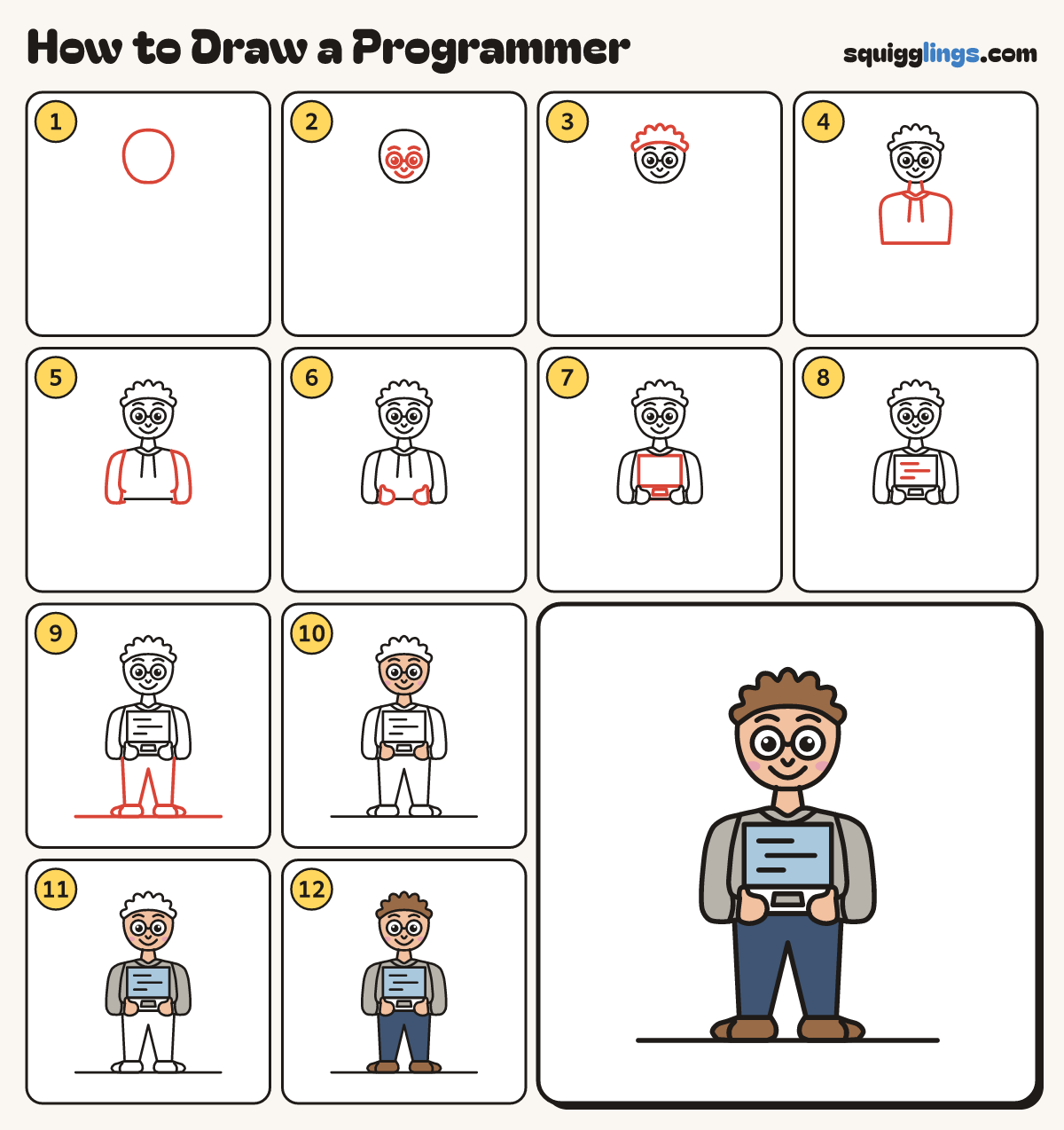
Each picture adds one red line. Draw that line, then scroll to the next picture. Rub out any dashed helper lines at the end. First up: the head.
Step 1: The head
Near the top, in the middle, draw an egg for the head, a little narrower at the chin.
Tip Leave most of the page below for the body and legs.
Step 2: Face and glasses
Draw 2 round glasses below the head's middle, with a dot eye in each. Add a nose, smile and eyebrows.
Step 3: Messy hair
Start on the left of the head, by the eyebrows. Draw soft tufts over the head, down to the right.
Step 4: Neck and hoodie
Draw 2 neck lines. From the left, draw a hoodie with round shoulders, stopping at the right. Add hood strings.
Step 5: Long sleeves
Start at each shoulder. Draw a long sleeve down to the elbow, then in to the wrist. Add a cuff.
Step 6: Mitten hands
On each arm end, draw a mitten pointing in, with a little thumb bump. Leave a gap between the hands.
Step 7: Laptop
Between the hands, draw an open laptop: a tall box screen standing up, and a keyboard box under it.
Step 8: Lines of code
On the screen, draw 3 short straight lines of different lengths, one under the other, like lines of code.
Step 9: Trousers, shoes and ground
Start under the left arm. Draw 2 trouser legs, stopping under the right arm. Add shoes and a ground line.
Step 10: Peach skin, pink cheeks
Colour the face, neck and hands peach, with pink cheeks. Leave the eyes white.
Step 11: Sky screen, grey hoodie
Colour the screen sky blue. Colour the hoodie and the laptop keys grey, going around the screen.
Step 12: Brown hair, navy jeans
Colour the hair and shoes brown, and the jeans navy. Go over your lines and your programmer is done.
Your finished drawing
Follow the steps above and this is where you end up: a programmer, drawn by you.
Every step in one picture