Watch it draw itself · tap to replay
How to Draw a Webcam
Draw a webcam in 12 easy steps, about 9 minutes. Free, with a printable worksheet.
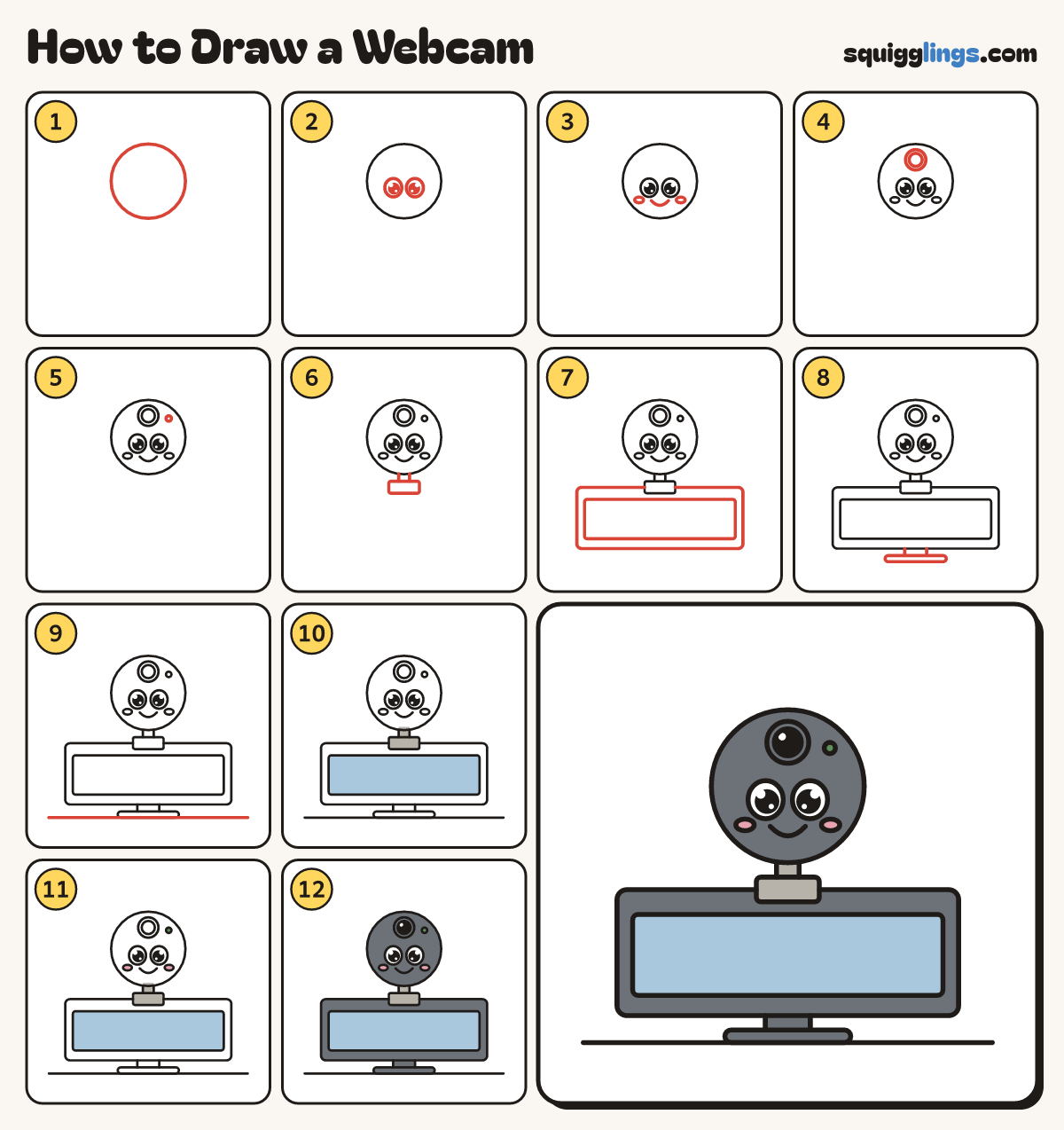
Each picture adds one red line. Draw that line, then scroll to the next picture. Rub out any dashed helper lines at the end. First up: the round camera.
Step 1: The round camera
Near the top of your paper draw a big circle for the round webcam.
Tip A webcam is a little camera that clips onto the top of your screen.
Step 2: Two big eyes
Just below the middle, draw 2 big egg eyes. Colour a big black dot in each. Leave the eyes white.
Step 3: Smile and cheeks
Under the eyes draw a U smile, and a small flat oval cheek beside each end of the smile.
Step 4: The lens
Above the eyes, near the top, draw a circle for the lens, with a smaller circle inside for the glass.
Step 5: The on light
To the right of the lens draw a little dot for the on light.
Step 6: Neck and clip
Under the camera draw a tiny box for the neck, and a wider flat box under that for the clip.
Step 7: The monitor
Draw a big wide monitor box with its top behind the clip, and a smaller box inside for the screen.
Step 8: The stand
Under the monitor draw a short neck and a wide flat foot for the stand.
Step 9: Ground
Draw a ground line under the foot from near the left edge to near the right edge.
Step 10: Sky screen, grey clip
Go over your lines, then colour the screen sky blue and the camera's neck and clip grey.
Step 11: Pink cheeks, green light
Colour the cheeks pink and the little on light green.
Step 12: Slate camera, black glass
Colour the camera, monitor and stand slate around the face, light, glass and screen, then the glass black.
Your finished drawing
Follow the steps above and this is where you end up: a webcam, drawn by you.
Every step in one picture